Collision callbacks are how gameplay learns that two things actually touched this frame.
They are a good fit when the event itself matters:
- the player landed
- a projectile hit an enemy
- a pickup entered a trigger volume
- a pressure plate was stepped on
If you want to ask the world a question manually instead of waiting for contact, use physics queries. If you want to inspect what something is touching right now, use contact queries.
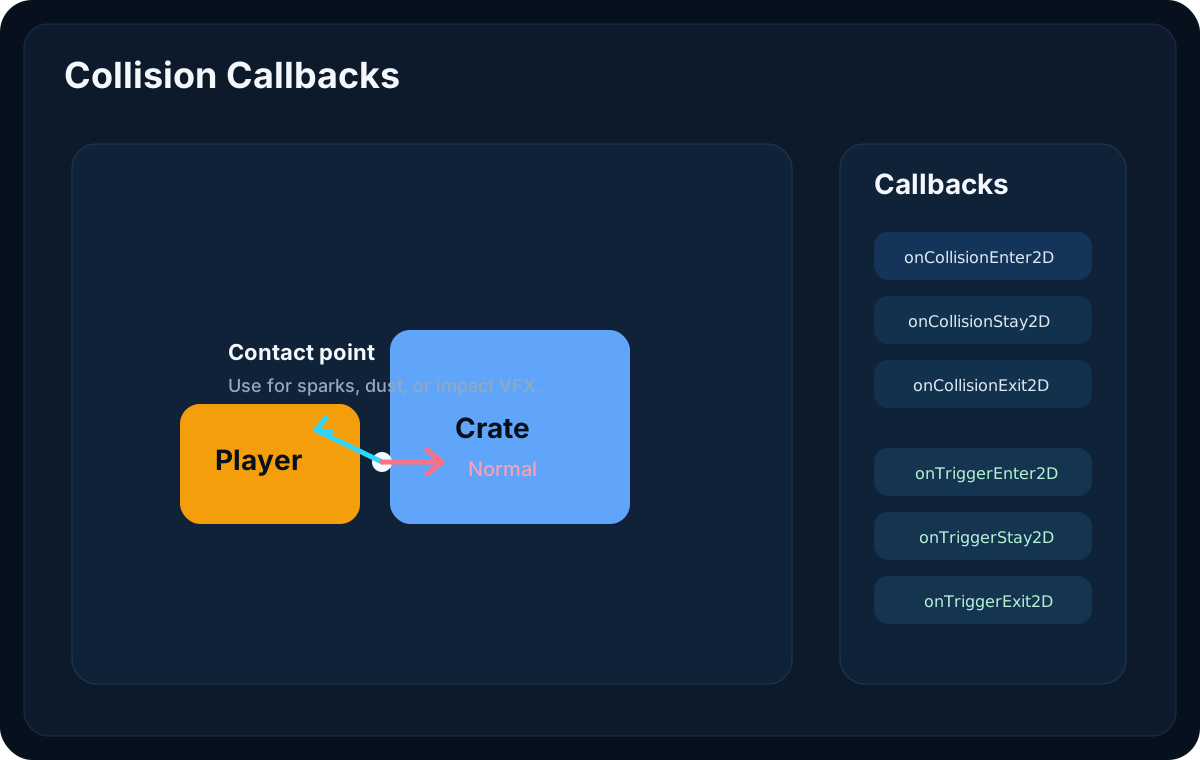
Available Callback Methods
Lenga will call these methods on your PHP behaviour when they exist:
onCollisionEnter2D(Collision2D $collision)onCollisionStay2D(Collision2D $collision)onCollisionExit2D(Collision2D $collision)onTriggerEnter2D(Collision2D $collision)onTriggerStay2D(Collision2D $collision)onTriggerExit2D(Collision2D $collision)
Use collision callbacks for solid contacts and trigger callbacks for overlap-style interactions.
What Collision2D Gives You
The payload includes enough information to do more than print "something hit something."
Useful fields:
gameObject: the GameObject that touched this behaviour's GameObjectcollider: the collider that touched this behaviour's GameObjectselfGameObject: this behaviour's GameObjectselfCollider: this behaviour's collider involved in the contactotherGameObject: alias for the GameObject that touched this behaviour's GameObjectotherCollider: alias for the collider that touched this behaviour's GameObjectpointnormalrelativeVelocityseparationisTrigger
That means you can make decisions such as:
- spawn sparks at the contact point
- detect whether the hit came from above or below
- apply damage only when the other object has the
Enemytag - ignore trigger-only overlaps in a solid-hit workflow
Example: Landing Dust
use Lenga\Engine\Core\Behaviour;
use Lenga\Engine\Core\Collision2D;

final class PlayerLandingEffects extends Behaviour
{
    public function onCollisionEnter2D(Collision2D $collision): void
    {
        if ($collision->normal->y < 0.5) {
            return;
        }

        // Spawn a dust effect at the landing point.
        $point = $collision->point;
        // VFX::spawn('Dust', $point);
    }
}
Example: Pickup Zone
use Lenga\Engine\Core\Behaviour;
use Lenga\Engine\Core\Collision2D;

final class CoinPickup extends Behaviour
{
    public function onTriggerEnter2D(Collision2D $collision): void
    {
        if ($collision->gameObject?->tag !== 'Player') {
            return;
        }

        // Add score, play sound, then destroy the coin.
        // Score::add(1);
        $gameObject->destroy();
    }
}
Example: Damage From a Hazard
use Lenga\Engine\Core\Behaviour;
use Lenga\Engine\Core\Collision2D;

final class SpikeTrap extends Behaviour
{
    public function onCollisionEnter2D(Collision2D $collision): void
    {
        if ($collision->gameObject?->tag !== 'Player') {
            return;
        }

        // Apply damage to the player.
        // $collision->gameObject?->getComponent(Health::class)?->applyDamage(10);
    }
}
Picking the Right Callback
Use Enter when the first moment of contact matters.
Use Stay when the effect should continue while objects remain in contact.
Use Exit when something should happen the moment contact ends.
A common pattern:
public function onTriggerEnter2D(Collision2D $collision): void
{
    // show interaction prompt
}

public function onTriggerExit2D(Collision2D $collision): void
{
    // hide interaction prompt
}
A Good Rule of Thumb
Use callbacks when you want gameplay to react to real contact.
Use contact queries when you want to inspect current contact state.
Use casts and overlap queries when you want to ask "what would I hit?" or "what is inside this area?"