After you create or select a GameObject, add the components that explain what it should do.
Add from the Inspector
Select a GameObject, then use the Inspector's add component control.
Look for the add button, usually shown with the icon, then choose the component you want.
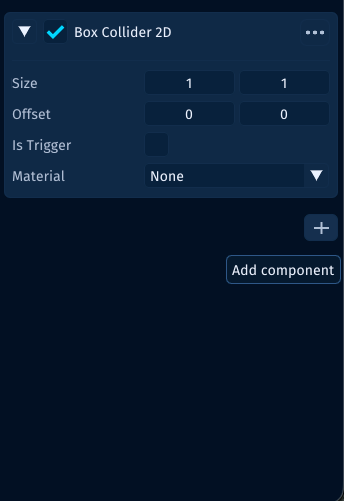
The add button appears after the selected GameObject's existing components. Use it when you are already looking at the object in the Inspector and want to attach one more capability.
Common examples:
- add a renderer when the object should be visible
- add a collider when it should have a collision shape
- add a rigidbody when physics should move it
- add an audio component when it should play sound
- add a Behaviour when it needs scene-attached game logic
Add from the Component Menu
The top-level Component menu gives another way to add components.
This is useful when you already know the category you want, such as physics, rendering, audio, UI, or a gameplay Behaviour.
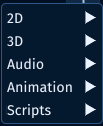
Choose the category first, then choose the specific component inside that category.
Add Behaviours
A PHP class that extends Behaviour becomes a component when it is attached to a GameObject.
If the class uses #[AddComponentMenu(...)], Lenga can show it in the component picker with a clean menu path.
<?php

declare(strict_types=1);

namespace MyGame\Game\Scripts;

use Lenga\Engine\Attributes\AddComponentMenu;
use Lenga\Engine\Core\Behaviour;

#[AddComponentMenu('Gameplay/Door Controller')]
final class DoorController extends Behaviour
{
    public bool $startsOpen = false;
}
This keeps custom gameplay components discoverable in the editor.
Keep ordinary PHP classes ordinary. Helpers, calculators, enums, and shared utility classes do not need to be added as components unless they need GameObject ownership, lifecycle methods, or Inspector data.
Add Only What the Object Needs
It is tempting to attach everything to one object.
Prefer focused GameObjects with clear components. If a component does not help explain the object, it probably belongs somewhere else.