It brings your scene, assets, properties, and runtime feedback into one place so you can author content visually instead of stitching the whole workflow together by hand.
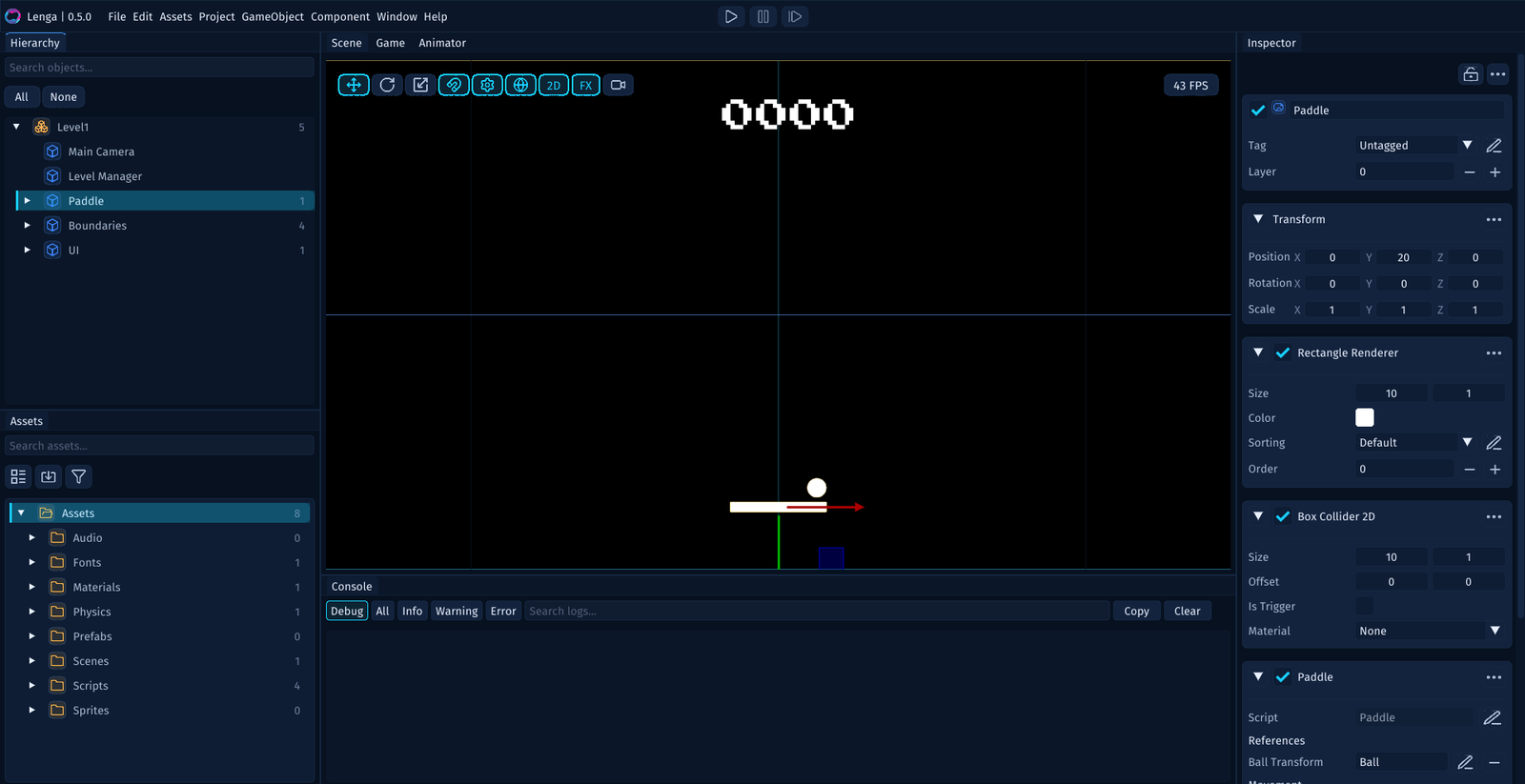
What the Editor Is For
Use the editor to:
- create and open projects
- build scenes and lay out levels
- select and configure game objects and UI elements
- create scripts, scenes, prefabs, and other project assets
- play and inspect the game while you work
- read logs, warnings, and errors in the console
The editor is the center of day-to-day work in Lenga.
The Basic Editing Loop
A lot of work in Lenga follows the same loop:
- choose something in the
HierarchyorAssetspanel - place or inspect it in the
Sceneview - edit its properties in the
Inspector - press
Playto test the result - check the
Consoleif something behaves unexpectedly
Once that rhythm feels familiar, the rest of the editor starts to make sense much more quickly.
The Main Parts of the Editor
The editor is built around a few core surfaces:
Hierarchyfor what exists in the current sceneSceneview for visual authoringGameview for checking what the player seesInspectorfor editing properties and componentsAssetspanel for project files and contentConsolefor runtime feedback and debugging
Each area has a clear role. Together they form the authoring workflow.
Editor and Engine
The editor is the authoring side of Lenga.
The engine runtime is what plays the game.
That distinction matters:
- in the editor, you create and configure the game
- in play mode, you test how that authored content behaves
- in a build, the runtime executes the exported game for players
Understanding that relationship makes it easier to reason about authoring, testing, and exporting.