The editor creates the project folder, project settings, and starter content for you.
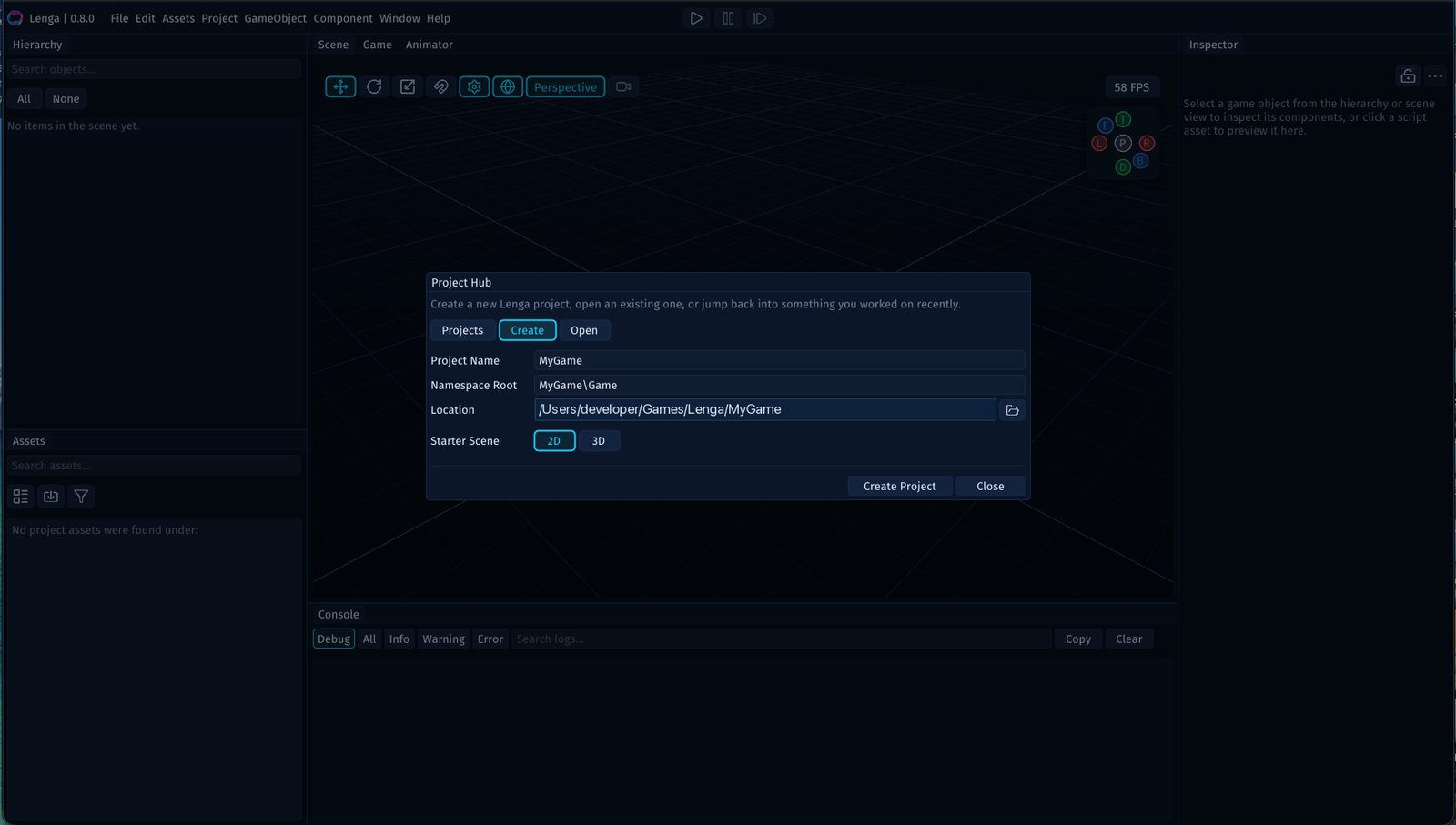
Step 1: Open the Create Tab
Launch the editor, then choose the Create tab in the Project Hub.
Step 2: Enter the Project Name
Set the project name first.
This is the name the editor uses for the project and the name you will see again in recent-project lists.
Step 3: Choose a Namespace Root
Set the namespace root for your gameplay PHP code.
Lenga uses this value when it generates new PHP files, so it is worth choosing a clean, project-specific namespace from the start.
Step 4: Choose the Project Location
Set the folder where the project should be created.
Lenga uses that location to create the project root and the folders inside it.
Step 5: Choose the Starter Scene Type
Choose whether the starter scene should begin as 2D or 3D.
That choice sets the initial scene orientation so you land in a workspace that matches the kind of project you are starting.
Step 6: Create the Project
Click Create Project.
The editor creates the project folder, opens the new project, and prepares the starter scene for editing.