It answers a practical question: what should exist together right now?
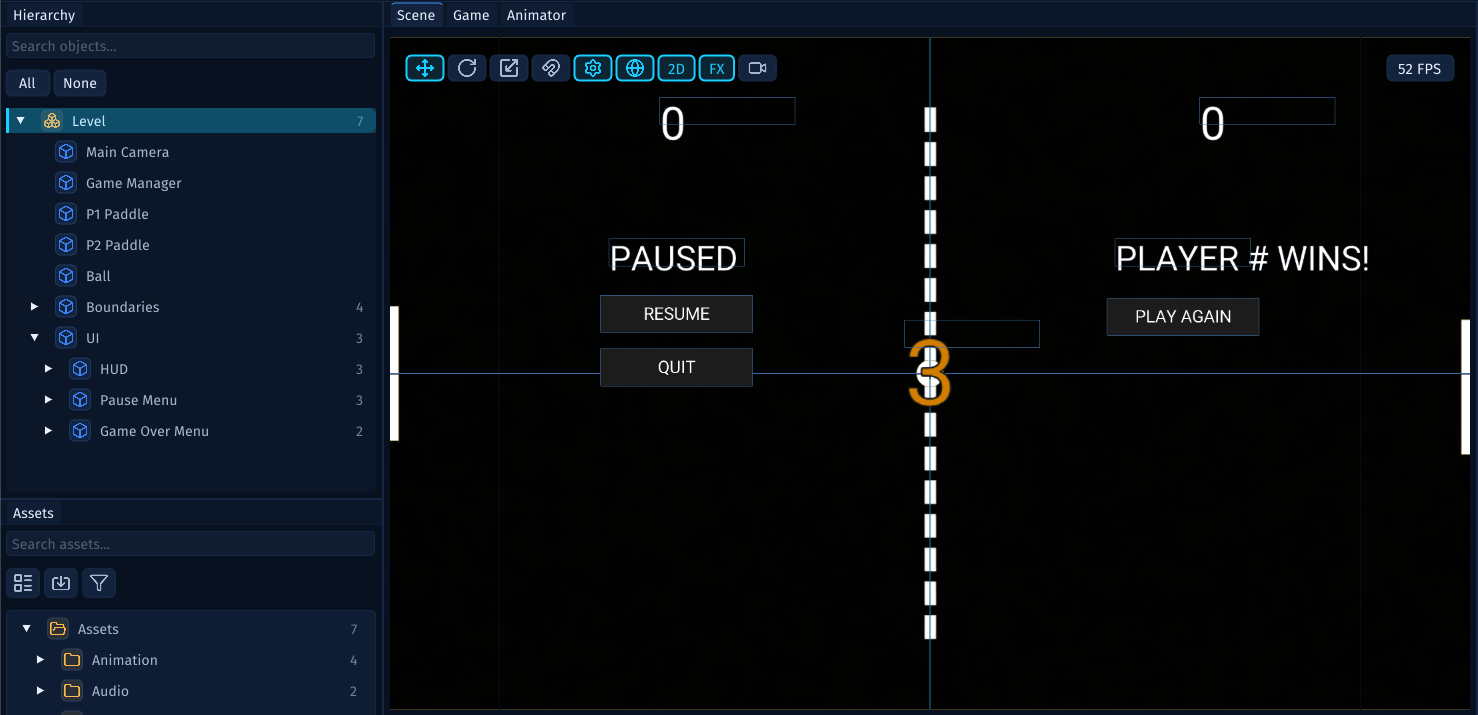
That can be a main menu, a level, a test room, a pause overlay, or any other self-contained part of your game. When you open a Scene, you are opening that authored space so you can inspect it, arrange it, save it, and later play it.
What a Scene Contains
A Scene usually contains a few different kinds of information:
- the
GameObjects that should exist in this space - the
UIElements that belong to this space - the camera or cameras that show the space
- scene-level settings such as backdrops, ambient lighting, and layers
- references to project assets such as images, sprites, fonts, audio, and scripts
A Scene does not need to own every asset it uses. A Scene can reference an image, animation, font, or script that lives elsewhere in the project. That is what lets the same sprite, sound, or behaviour be reused in more than one Scene without copying it.
The Scene Owns Structure
The Hierarchy shows the structure of the open Scene.
In this example, the selected Scene is named Level. Under it are the objects that make up the level: cameras, gameplay objects, boundaries, and UI groups.
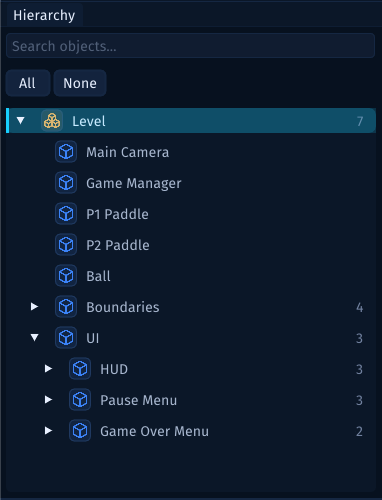
The nesting matters. It tells you what belongs to the Scene and how larger pieces of content are grouped. For example, the UI entry can contain separate groups for the HUD, pause menu, and game-over menu.
You do not need to understand every object yet. The important idea is that the Scene is the container, and the Hierarchy is the editor's outline of that container.
What a Scene Means in Lenga
In Lenga, the Scene is the top-level thing you edit in the Hierarchy, the Scene view, and the Inspector.
That means a Scene defines:
- what objects exist in that authored space
- how those objects are grouped
- where visual content appears in the editor
- which scene-level presentation settings apply
- which project assets the authored space references
When people talk about opening a scene, saving a scene, or switching scenes, this is the concept they are talking about. They are not talking about the whole project, and they are not talking about a single object. They are talking about one saved authored space inside the project.
The Scene Has Settings
When the Scene itself is selected, the Inspector shows settings for the Scene rather than settings for one object inside it.
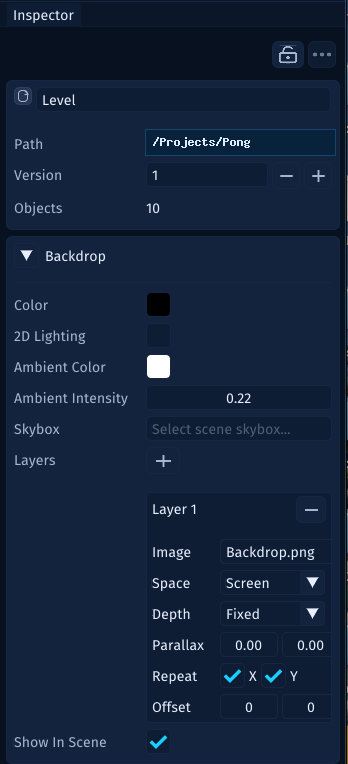
In the screenshot, the Scene settings include:
- the Scene name
- the saved Scene path
- the Scene version
- the number of objects in the Scene
- backdrop color, image, repeat, offset, and parallax settings
Those settings belong to the authored space as a whole. If you select the ball, paddle, camera, or a UIElement instead, the Inspector changes to show that selected item's own settings.
How Scenes Fit with Other Concepts
It helps to keep the first few Lenga concepts separate:
- A
Projectis the whole workspace for a game. - A
Sceneis one saved authored space inside that project. - A
GameObjectis one object inside a Scene. - A
UIElementis interface content inside a Scene. - A
Transformdescribes position, rotation, and scale for scene content. - A
Behaviouris component logic attached to an object so it can do something during play.
You will meet each of those ideas in its own guide. For now, focus on the relationship: the Scene is the place where those pieces come together.
When to Make Another Scene
Create another Scene when a part of the game has a different purpose or should be loaded, edited, or tested separately.
Good reasons include:
- a title screen should stay separate from a playable level
- a test level should not clutter the main game level
- a menu has different cameras, UI, and objects than gameplay
- a large game is easier to maintain when levels are saved separately
Do not split content just because it is possible. Split it when the separation makes the game easier to reason about.
A Simple Mental Model
A useful way to think about Scenes is:
- a
Projectis the whole game workspace - a
Sceneis one authored space inside that project - a
GameObjectorUIElementis one piece of content inside that scene
That hierarchy keeps the rest of the editor easier to reason about. If you feel lost, ask: am I looking at the whole project, the open Scene, or one selected piece inside the Scene?